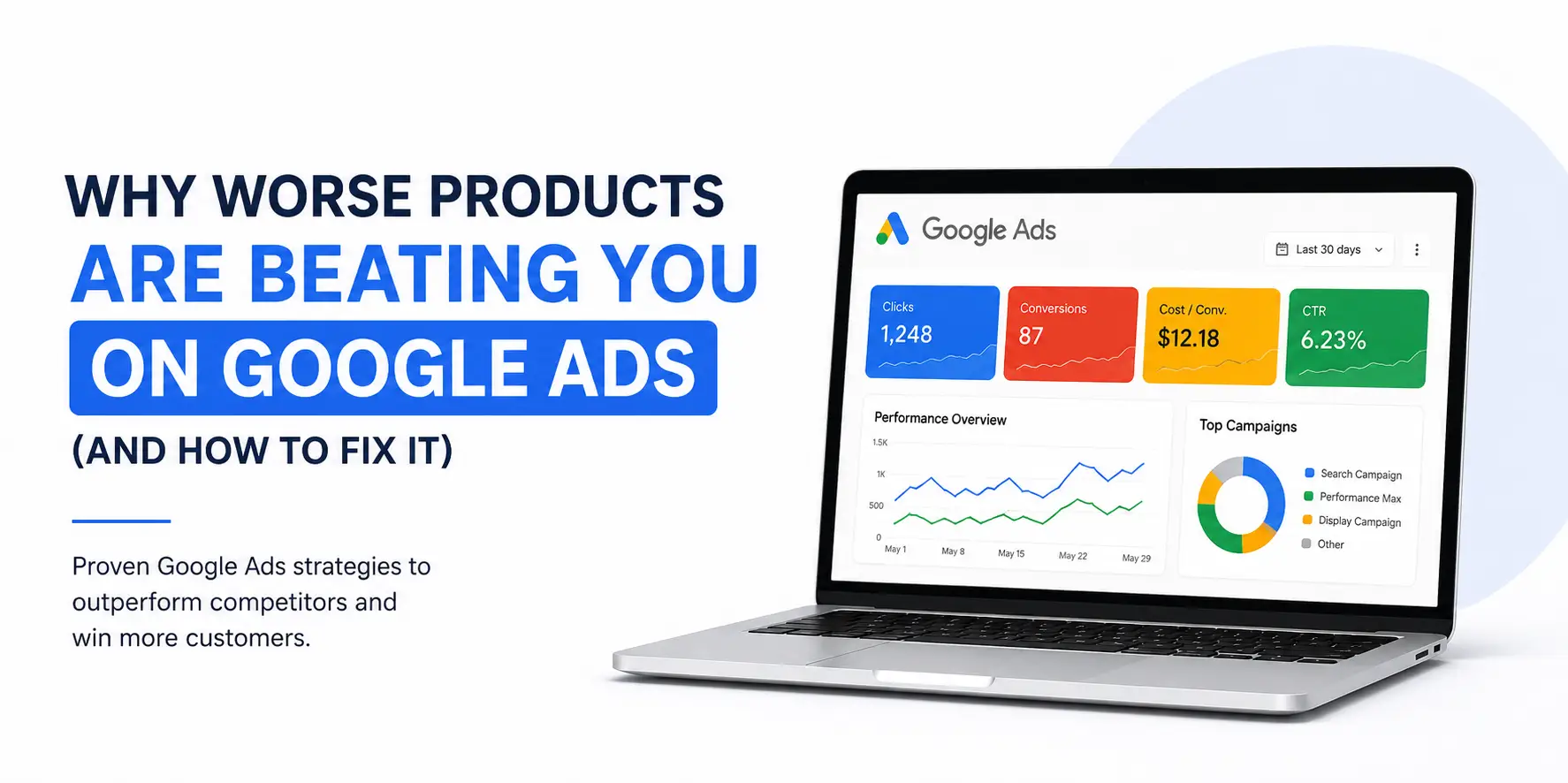
Why Your Competitors’ Products Are Winning on Google Ads
You have a better product. A more professional website. A team that genuinely delivers results. And yet, somehow, a competitor with a worse offer, less experience, and a fraction of your quality is appearing above you on Google Ads, getting the clicks, and winning the customers that should be yours.
If that sounds familiar, you are not imagining it. And it is not a budget problem. It is not a luck problem. It is a google ads strategy problem. Especifically, a misunderstanding of what Google actually rewards
Here’s the truth most google ads for business guides will never tell you: Google does not rank the best product. It ranks the best signal. It is a prediction engine, and it is constantly predicting which ad will generate the highest expected satisfaction for its users. Your actual product quality? It is invisible to the algorithm. What the algorithm sees are clicks, conversions, engagement, and perceived value.
Table of Contents
- The Core Insight: Google Is a Prediction Engine, Not a Quality Judge
- Mistake #1: Your Ad Copy Describes Your Product Instead of Selling the Outcome
- Mistake #2: Your Quality Score Is Quietly Bleeding Your Budget
- Mistake #3: You Are Targeting the Wrong Keywords, or the Wrong Intent
- Mistake #4: Your Landing Page Is Destroying the Conversion Rate Your Ad Earned
- Mistake #5: You Are Ignoring Perceived Value — And Google Knows It
- Mistake #6: Your Bidding Strategy Is Working Against You
- Mistake #7: You Are Not Using Ad Extensions — Free Real Estate You Are Leaving Empty
- Mistake #8: Your Campaign Starts Strong Then Fizzles Out
- Mistake #9: You Are Not Tracking the Right Conversions
- Mistake #10: You Are Spending on Google Ads Without the Right Foundation
- What This Means for Your Business in 2026
- Stop Losing to Inferior Competitors on Google Ads, Let’s Fix It
- Quick Wins Checklist, Fix These This Week
That is why worse products beat better ones every single day on Google Ads. Not because the system is broken, but because those advertisers understand something most businesses don’t.
Winning on Google Ads is not just about the ad itself. It starts long before the click, with your landing page design trends and how well your page is built to convert the traffic your ads bring in.
This blog breaks down every major reason businesses lose on Google Ads , and gives you the exact fixes to turn it around. Whether you are running google ads for small businesses or managing a large ppc campaign management budget, the principles are the same.
The Core Insight: Google Is a Prediction Engine, Not a Quality Judge
Before we get into specific mistakes and fixes, you need to understand this fundamental truth about how google advertising actually works, because once you understand it, everything else clicks into place.
Google’s entire ad platform is built around one prediction: which ad, shown to which person, at which moment, is most likely to result in a satisfied user? Google does not audit your product. It does not interview your customers. It does not compare your service quality to your competitor’s.
What it does is measure four algorithmic signals:
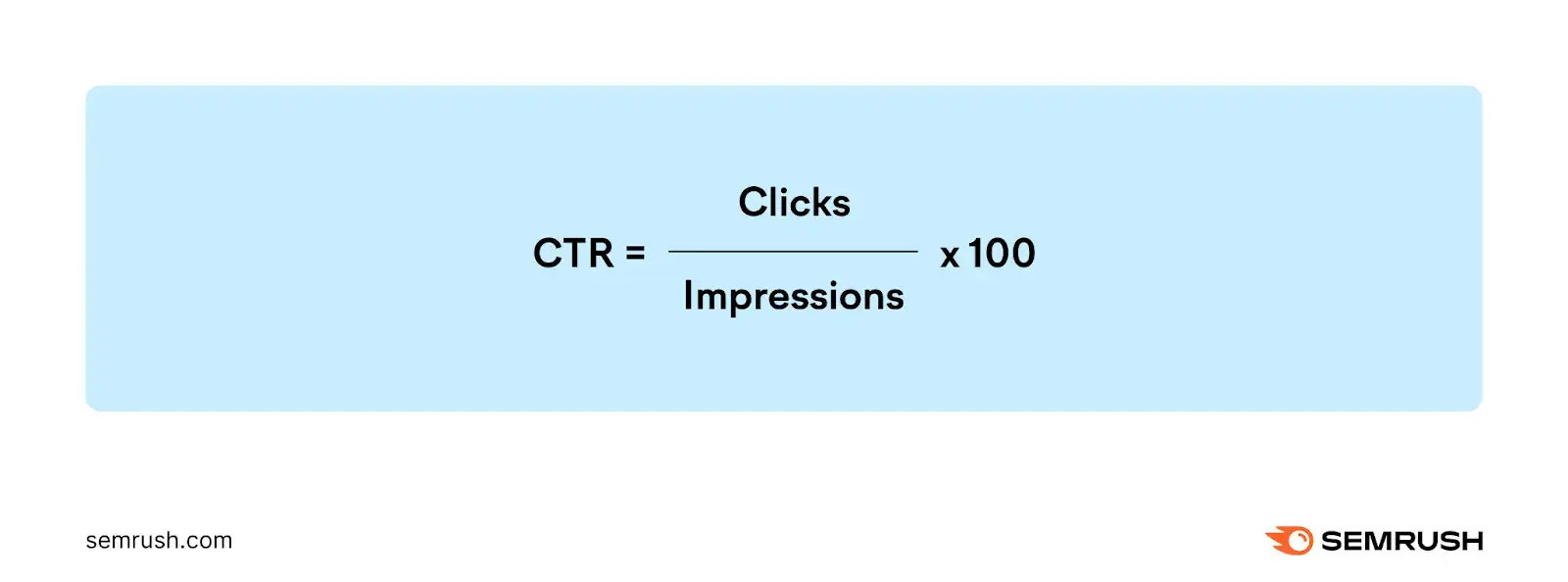
- Click Through Rate (CTR): Do people find your ad compelling enough to click?
- Conversion Rate: Does your landing page turn clicks into action?
- User Engagement: Do people who land on your page stay, interact, and follow through?
- Perceived Value: Does your offer look more valuable than the alternative?
A competitor with a genuinely inferior product but a perfectly optimised ad, a high-converting landing page, and strong engagement signals will beat you every time. It’s because Google sees better signals, not a worse product.
The good news: every single one of these signals is within your control. Here is how to fix them, one by one.
Mistake #1: Your Ad Copy Describes Your Product Instead of Selling the Outcome
This is the single most common google ads for business mistakes, and it is killing your CTR before anyone even reaches your website.
Most businesses write ads that describe what they do. “Professional web design services.” “Trusted accountants in London.” “Award-winning digital marketing agency.” These ads are informative. They are also completely forgettable.
Your competitors who are outranking you are not describing their service. They are selling a transformation. They are leading with the outcome your potential customer actually wants — and they are creating enough urgency or curiosity to earn the click.
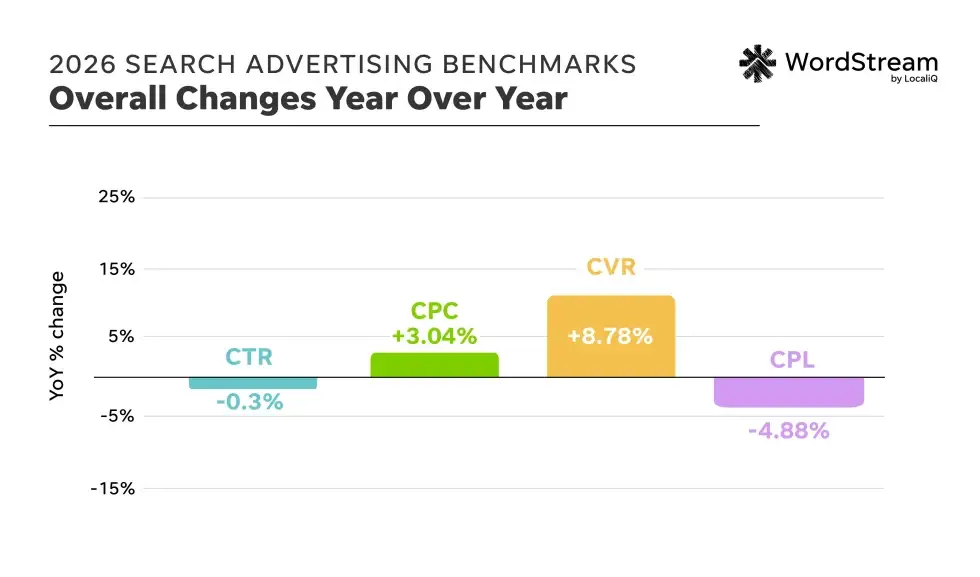
The cross-industry average CTR for Google Search Ads in 2026 is 3.52–6.11%. If your CTR is below 3%, your ads are paying a Quality Score penalty on every single click.
A low CTR does not just mean fewer clicks. It directly depresses your Quality Score, which raises your cost per click and lowers your ad position. You end up paying more to appear lower. That is the compounding cost of weak ad copy.
What outcome-led ad copy looks like in practice
❌ “Professional Closet Design Services; Custom Built to Order”
✅ “Upgrade Your Space in 10 Days; Luxury Closets at Affordable Prices”
❌ “Google Ads Management for UK Businesses”
✅ “Stop Wasting Ad Budget, Get Campaigns That Actually Convert”
The second version of each ad leads with the outcome and addresses a pain point simultaneously. That combination is what earns clicks, and clicks are what earn a position.
The Fix: Audit every headline in your current campaigns. If any of them describe your business rather than the outcome for the customer, rewrite them. Lead with the transformation. Follow with the proof. End with a clear call to action. Test at least three headline variations per ad group and let data decide.
Mistake #2: Your Quality Score Is Quietly Bleeding Your Budget
Quality Score is Google’s internal rating of how relevant and useful your ad is, scored from 1 to 10. It is calculated based on three factors: expected CTR, ad relevance, and landing page experience. And it has an enormous, often invisible impact on your google business advertising costs.
A Quality Score of 10 can reduce your cost per click by up to 50% compared to the average. A Quality Score of 1 can increase it by 400%. That means two businesses bidding the same amount can have wildly different ad positions and costs per click, purely based on Quality Score
Average Search CPC rose 12% year over year to $2.96 in Q1 2026, the steepest annual rise since 2021. Businesses with poor Quality Scores are paying significantly above this average.
Most businesses spending on google ads for small business have never looked at their Quality Score. They increase their bids when results drop, not realising that the root cause is a relevance problem, not a budget problem.
The three components of Quality Score and how to improve each
- Expected CTR: Write outcome-led, specific headlines. Test multiple variations. Use numbers and specifics (“10 Days”, “50% Less”, “Free in 24 Hours”) to stand out.
- Ad Relevance: Your ad copy must mirror your keyword intent precisely. If someone searches for “google ads management London”, your ad must speak directly to that, not to a general digital marketing offering.
- Landing Page Experience: Google scores your landing page based on relevance, load speed, and mobile usability. If your ad promises one thing and your landing page delivers another, your Quality Score suffers immediately.
The Fix: Check your Quality Score for every keyword in your Google Ads Manager. Any keyword scoring below 6 needs immediate attention, either improve the ad relevance, rewrite the landing page, or pause the keyword entirely. Prioritise your highest-spend, lowest-score keywords first.
Mistake #3: You Are Targeting the Wrong Keywords, or the Wrong Intent
Keyword selection is where most google ads strategy falls apart. Businesses either go too broad, wasting budget on searches that will never convert, or too narrow, missing high-intent customers who phrase their search slightly differently than expected.
But the deeper problem is search intent mismatch. There is a fundamental difference between someone searching “what is google ads” and someone searching “google ads management service for ecommerce UK”. The first is curiosity. The second is a buyer. Showing the same ad to both, or worse, paying for the first click, is one of the fastest ways to drain a ppc campaign management budget with nothing to show for it.
65% of all clicks on commercial search queries go to paid results, versus 35% to organic listings, but only when the ad matches the search intent precisely.
The four types of search intent — and which ones to target
- Informational: ‘How does Google Ads work?’ Low conversion intent. Use for brand awareness only.
- Navigational: ‘Google Ads login’; They are looking for a specific platform, not a service.
- Commercial Investigation: ‘Best Google Ads agency UK’; High value. These people are comparing options.
- Transactional: ‘Hire Google Ads specialist’; Highest intent. These people are ready to buy.
Your primary budget should be concentrated on Commercial Investigation and Transactional keywords. These are the searches where your google ads for business investment will generate the strongest returns.
The negative keyword problem nobody talks about
Negative keywords, terms you explicitly exclude from triggering your ads, are one of the most powerful and most neglected tools in google advertising. Without a robust negative keyword list, broad and phrase match keywords will trigger your ads for completely irrelevant searches, burning budget on clicks that will never convert.
The Fix: Run a Search Terms report in your Google Ads Manager every week. Look for searches that triggered your ads but have nothing to do with what you offer, and add them as negative keywords immediately. Build a master negative keyword list across all campaigns. Separate your campaigns by intent level so you can bid more aggressively on transactional keywords without wasting budget on informational ones.
Mistake #4: Your Landing Page Is Destroying the Conversion Rate Your Ad Earned
Your ad earns the click. Your landing page earns, or loses, the customer.
The critical concept here is message match. Your landing page must mirror the exact promise your ad made. If your ad says “Free LASIK Consultation — Book Today” and your page opens with your clinic’s history, the visitor feels misled and leaves.
The cross-industry average conversion rate for Google Ads Search in 2026 is 4.40–7.04%. Strong landing page alignment consistently outperforms this.
The most common landing page mistakes:
- Headline on page does not match the headline in the ad
- Page loads slowly, 68% of Google Ads clicks are now on mobile
- No clear single CTA above the fold
- Social proof buried too far down or hidden in carousels
- Same generic page used for every ad campaign
The Fix: Create a dedicated landing page for each major ad group. Match every page headline to its ad. Load in under 2 seconds. Remove all navigation menus, every link that is not your CTA is an exit.
Mistake #5: You Are Ignoring Perceived Value — And Google Knows It
Google cannot verify your product quality. But it can measure whether users click, stay, and convert. All of those behaviours are driven by perceived value, the impression of worth your marketing creates in the first few seconds.
Your competitor with the inferior product is winning because they have invested in the signals of quality, even if the product does not match up.
The four factors that signal perceived value to Google:
- Product Titles and Ad Headlines: specific and benefit-led beats generic every time
- Imagery and Creative: high-quality images of real results build confidence and engagement
- Social Proof Placement: specific results beat generic five-star ratings
- Landing Page Experience: professional, fast, and relevant pages signal credibility
The Fix: Audit your ad creative and landing page with one question: does this look like a market leader or a market follower? Fix the perception before increasing spend. Perception precedes conversion.
Mistake #6: Your Bidding Strategy Is Working Against You
In 2026, google ads strategy around bidding has fundamentally changed. Manual CPC is being outcompeted by Smart Bidding, but Smart Bidding only works when it has the right data to learn from.
AI-powered bidding drives 78% of all Google Ads spend in 2026. Advertisers using Smart Bidding report 22% lower cost per conversion on average. — Digital Applied — Google Ads Benchmarks 2026
The most common bidding mistakes:
- Using Maximise Clicks when you should be using Target CPA or Target ROAS
- Setting targets too aggressively before the algorithm has enough conversion data
- Running Performance Max without proper asset groups or audience signals
- Treating all conversions equally, a phone call and a page view are not the same
The Fix: Ensure conversion tracking is firing correctly for every meaningful action. Give Smart Bidding at least 30–50 conversions per month before evaluating. Start with Maximise Conversions, then move to Target CPA once you have reliable data.
Mistake #7: You Are Not Using Ad Extensions — Free Real Estate You Are Leaving Empty
Ad extensions now called assets in Google Ads Manager, make your ad larger, more informative, and significantly more clickable. They cost nothing extra per impression
Advertisers using 3 or more ad extensions see an average 20% lift in CTR compared to those without. — SearchLab — Google Ads Statistics 2026
The most impactful extensions for service businesses:
- Sitelinks: direct links to services, case studies, pricing, contact
- Callouts: short benefit statements: ‘Free Audit’, ‘No Contracts’, ’24hr Response’
- Call Extensions: click-to-call, essential for mobile and local businesses
- Location Extensions: critical for google local ads and local service ads
- Lead Form Extensions: capture leads directly from the SERP
The Fix: Add every relevant extension type to all campaigns. Write callouts that address objections and highlight your strongest differentiators. For local businesses, ensure location and call extensions are always active.
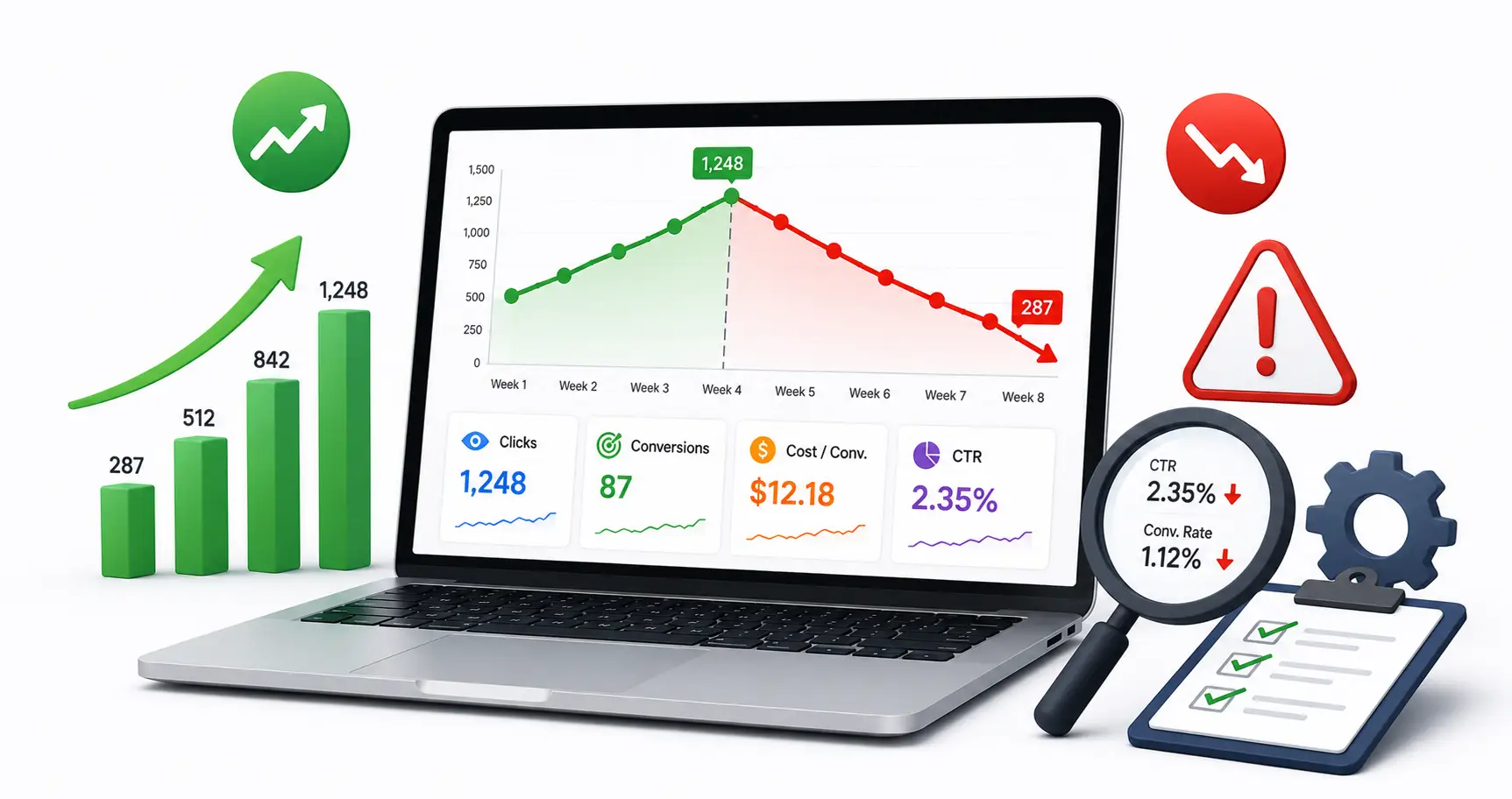
Mistake #8: Your Campaign Starts Strong Then Fizzles Out
Strong start. Conversions flow in. Then after a few weeks, performance drops, leads dry up, CPA climbs. Sound familiar?
This pattern almost always has a fixable root cause. The three most common culprits:
- Learning Phase Ends Badly: Smart Bidding needs 30–50 conversions per month to optimise properly. If the data is thin, performance degrades after the learning phase rather than improving.
- Audience Saturation: In smaller geographic markets, your ads reach the same people repeatedly. Once the most interested segment has converted or moved on, CTR drops and CPAs climb. This is not a campaign failure, it is a reach problem.
- Your Own Success Creates a Capacity Problem: A counselling practice saw this exact pattern: ads performed brilliantly when appointment slots were available. As the practice filled up, wait times grew. Conversion rate collapsed, not because of the ads, but because they could not serve new customers fast enough. Ask regularly: can we actually deliver what we are promising right now?
The Fix: Review performance weekly, not monthly. Set automated alerts for significant drops in CTR or conversion rate. Investigate root causes before assuming it is a campaign problem. Check audience reach, budget, and operational capacity alongside ad metrics.
Mistake #9: You Are Not Tracking the Right Conversions
This is the silent killer of ppc campaign management budgets. If your conversion tracking is wrong, Smart Bidding optimises for the wrong thing, and you never know it.
Common conversion tracking failures:
- Counting page views or session starts as conversions, inflating numbers
- Missing offline conversions, phone calls and in-person visits that came from ads
- Duplicate tracking, counting the same conversion multiple times
- Zero-second calls, call extensions registering as conversions when someone hangs up instantly
- Spam form submissions being counted as real leads
Cost per lead averages $70.11 across all industries in 2026. Businesses with inaccurate conversion tracking frequently report CPLs that bear no relationship to actual customer acquisition costs.
The Fix: Audit your conversion setup completely. Set a minimum 60-second call duration for call conversions. Use Google Tag Manager to verify tags fire once — and only once. If you have a sales process, import qualified leads as offline conversions so the algorithm learns from real revenue.
Mistake #10: You Are Spending on Google Ads Without the Right Foundation
This is the most honest conversation in google business advertising. Google Ads amplifies what already exists. If your offer is unclear, your website is slow, and your sales process is broken — Google Ads will not fix any of that. It will expose it at scale and charge you for it.
Before spending, every business needs:
- A specific offer with a defined target audience
- A landing page that loads in under 2 seconds with a single clear CTA
- Social proof that shows real results, not generic five-star ratings
- Working conversion tracking before a single pound or dollar is spent
- A realistic budget, google ads for small business typically needs £1,500–£5,000/month minimum
Small businesses spend an average of $1,500–$5,000 per month on Google Ads. Budgets below the minimum threshold for your industry produce misleading data and poor results.
The Fix: Run a pre-launch checklist before any campaign: Is my offer specific? Does my landing page match my ad? Is conversion tracking verified? Is my budget sufficient? Is my business ready to handle the leads? Answer no to any — fix the foundation first.
What This Means for Your Business in 2026
The businesses winning on Google Ads in the UK, USA, Canada, and Australia right now are not the ones with the best products or the biggest budgets. They are the ones who have learned to speak the algorithm’s language — through signals, not substance.
Every mistake in this blog is fixable. Quality Score can be improved. Ad copy can be rewritten. Landing pages can be rebuilt. Conversion tracking can be corrected. The gap between where your campaigns are now and where they could be is almost always a google ads strategy gap — not a product gap.
Your better product deserves better google advertising. With the right approach to ppc campaign management, it can win.
Stop Losing to Inferior Competitors on Google Ads, Let’s Fix It
At Ingenious Netsoft, we are a global google ads for business agency with over a decade of experience running high-performance campaigns across the UK, USA, Canada, and Australia. We specialise in ppc campaign management that builds the strategic foundation turning ad spend into measurable business growth.
From google ads strategy and Quality Score improvement to landing page alignment and conversion tracking, we manage the full picture, not just the dashboard.
Whether you need google ads for small businesses that make every pound count, or a specialist team to scale a larger google advertising budget, we can help.
Get in touch with Ingenious Netsoft – the best PPC agency today to hire google ads specialists, and find out exactly what it will take to fix your campaigns.
Quick Wins Checklist, Fix These This Week
Not ready for a full overhaul? Start here. These fixes can show results within days:
- Check Quality Score for every keyword, pause anything below 4
- Add at least 3 ad extensions to every campaign
- Run a Search Terms report and add negative keywords for irrelevant searches
- Verify conversion tracking fires correctly on your thank you page
- Rewrite your lowest-CTR headlines to lead with outcome not description
- Check landing page speed on mobile at pagespeed.web.dev
- Match every landing page headline to its corresponding ad headline
- Set minimum 60-second call duration for call conversion tracking
- Review bidding strategy, right strategy for your current data volume?
- Check impression share, below 60% means budget is limiting your reach