
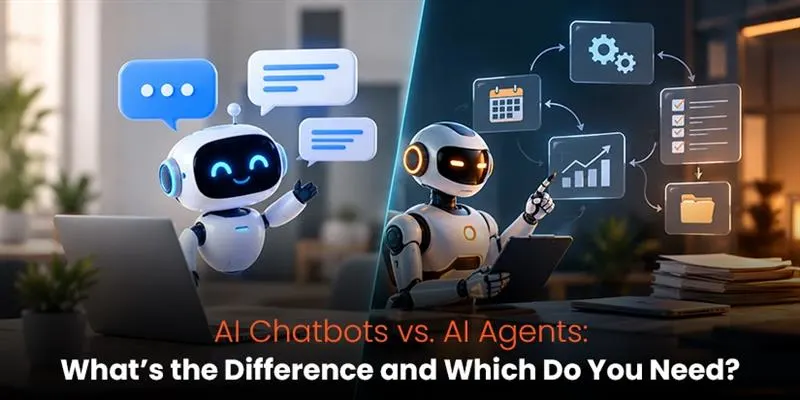
AI Chatbots vs. AI Agents: What’s the Difference and Which Do You Need?
Businesses are finding more ways to use AI in their daily work, from answering customer questions to handling repetitive tasks. But with chatbots, AI agents, copilots, and automation tools offering overlapping features, choosing the right solution is not always straightforward.
McKinsey’s State of AI research reported in 2026 that 47% of respondents said their organizations were scaling chatbots across the enterprise, compared with about two in ten who reported scaling AI agents. This suggests that chatbots have reached a wider stage of adoption among surveyed organizations, but it does not mean they are always the better choice.
The decision around AI chatbots vs AI agents comes down to what you need the technology to do. If you want to answer common questions or help customers find information, a chatbot may be enough. If a task involves several steps, requires decisions along the way, and relies on different business systems, an AI agent may be a better fit.
This guide breaks down the differences, looks at real business applications, and explains how to choose and test the right solution without taking on unnecessary costs or risks.
Table of Contents
- AI Chatbots vs AI Agents: Key Differences at a Glance
- How Do AI Chatbots and AI Agents Work?
- AI Chatbots vs. AI Agents vs. Traditional Automation and Copilots
- AI Chatbot vs AI Agent Use Cases: Five Business Applications
- When Should You Choose a Chatbot, an Agent, or Both?
- Should You Build, Buy, or Extend an Existing Solution?
- What Are the Costs and Risks of AI Automation?
- What Can an Agent Failure Look Like?
- Is Your Business Ready for AI Agents?
- How to Test Whether AI Automation Delivers Value
- Choose AI Based on the Workflow, Not the Hype!
- FAQ
TL;DR
- AI chatbots answer questions and handle routine customer interactions.
- AI agents use connected tools to complete multi-step tasks and make decisions within defined limits.
- Chatbots suit FAQs and basic support, while agents help with complex workflows such as IT troubleshooting and CRM updates.
- Choose based on task complexity, cost, integrations, and risk.
- Start with a small pilot, measure accuracy and time savings, and set clear permissions and approval rules.
AI Chatbots vs AI Agents: Key Differences at a Glance
An AI chatbot mainly helps people through conversations. It answers questions, shares information, and guides users through a process. An AI agent takes things further by working towards a goal, choosing actions, checking the results, and deciding what to do next within its permissions.
The difference between AI agents and chatbots is not simply that one can use tools and the other cannot. Many chatbots can retrieve data or call APIs.
What matters is whether the system follows a mostly predefined process or can adapt its next steps based on what it finds.
| Comparison point | AI chatbot | AI agent |
| Main purpose | Answer questions and support conversations | Work towards a goal or complete a multi-step task |
| Workflow | Usually follows a defined conversation or process | Can change its next steps based on results |
| Decision-making | Responds using its instructions and available context | Can plan and adjust actions within set limits |
| Tool use | May retrieve information or trigger specific actions | May coordinate several tools to complete a task |
| Human involvement | Answers routine questions and escalates when needed | Can handle approved steps and request help at key points |
| Best suited for | FAQs, basic support, and appointment guidance | Research, case handling, lead qualification, and multi-system workflows |
| Main risk | Giving an incorrect or incomplete answer | Taking an incorrect action as well as providing incorrect information |
There is some overlap between the two. A capable chatbot may complete transactions or resolve requests, while an AI agent may need human approval at several stages. The name of the product matters less than what it can actually do and how its actions are controlled.
How Do AI Chatbots and AI Agents Work?
The easiest way to understand the difference is to look at what each system does after receiving a request.
How AI chatbots work
An a href=”https://ingeniousnetsoft.com/ai-chatbot-development-services/”>AI chatbot/a> reads a user’s message, works out what they are asking, and generates a response using its instructions, conversation history, connected knowledge sources, or other available information.
Imagine a customer asking whether an order has shipped. A chatbot connected to the order system can look up the status and explain it. A simpler version might share tracking instructions or direct the customer to a support representative.
Modern AI powered chatbots can use large language models, knowledge retrieval, and software integrations to handle a wider range of questions than traditional scripted bots. However, their capabilities depend on the information they can access and the actions they are allowed to perform.
How AI agents work
An AI agent starts with a goal and works out the steps needed to achieve it. It can use tools, check the results, and change its approach when something does not go as expected.
For example, if a customer reports a delayed order, an agent might:
- Look up the order and its current delivery status./li>
- Check the shipping system for tracking updates./li>
- Compare the results with the expected delivery date and relevant policy./li>
- Decide whether the case meets the criteria for escalation or another approved action./li>
- Prepare a customer update or send the case to a person for approval./li>
Instead of stopping after answering a question, the agent can help move the request towards resolution. How independently it can work depends on its integrations, permissions, instructions, and safeguards.
AI Chatbots vs. AI Agents vs. Traditional Automation and Copilots
AI chatbots and agents are not the only options. Traditional automation and AI copilots can also help businesses reduce manual work, and each has a different role.
- Traditional Automation: Follows predefined rules and steps. It works well when a process is predictable and the same conditions usually lead to the same outcome.
- AI Chatbot: Answers questions and helps people find information through conversation.
- AI Copilot: Helps a person draft content, summarise information, analyse data, or prepare recommendations. The person generally remains in control of the final decision.
- AI Agent: Works towards a goal by selecting and coordinating actions, then using the results to decide what to do next within its permitted scope.
For example, a chatbot might call an API to check an order status every time a customer asks about delivery. That alone does not make it an AI agent. An agent-like system may check the result, determine whether the order is delayed, and choose between approved next steps based on the findings.
These technologies can also work together. A chatbot can serve as the interface through which a customer communicates with an agent, while traditional automation handles predictable steps in the background.
AI Chatbot vs AI Agent Use Cases: Five Business Applications
The right solution depends on the work involved, not just the department using it. A chatbot may be enough for a simple request, while a task involving multiple systems and decisions may benefit from an agent.
Here are five examples of how businesses can make that choice.
1. Customer service
A chatbot may be enough when:
- Customers regularly ask about delivery, returns, opening hours, or product details.
- Answers are available in approved knowledge sources.
- The main goal is to handle repetitive questions without involving a support representative every time.
An agent may be a better fit when:
- A request requires information from several systems.
- The next step depends on order details, customer eligibility, or company policy.
- Several approved actions are needed to move the case towards resolution.
For example, a chatbot can explain a return policy. An agent could check whether the order qualifies, prepare the return request, and send it for approval before a refund is issued.
What to measure: Resolution rate, escalation rate, customer satisfaction, average handling time, and cost per resolved case.
2. Lead qualification and sales operations
A chatbot may be enough when:
- Website visitors need information about services, pricing, or availability.
- You need to collect contact details and basic requirements.
- Leads can be routed using straightforward qualification rules.
An agent may be a better fit when:
- Qualification involves checking multiple approved data sources.
- Lead priority depends on several conditions.
- The process includes updating a CRM, assigning an owner, and preparing a follow-up for review.
What to measure: Qualified leads, response time, appointment bookings, CRM data accuracy, and conversion rate.
An agent can help prepare a relevant follow-up, but it should not automatically send every message it generates. Decide which communications can go out independently and which need a salesperson’s approval.
3. Marketing operations
A chatbot may be enough when:
- Visitors need campaign information or help finding content.
- Users want recommendations based on a few preferences.
- The main requirement is conversational support.
An agent may be a better fit when:
- A campaign involves gathering information, checking requirements, preparing content variations, and compiling results.
- Work spans multiple marketing platforms.
- A marketer needs to review the output before publication or budget changes.
For instance, an agent could collect campaign metrics from approved sources, highlight changes, and draft a performance report. A marketer would still need to check the findings and approve important adjustments.
What to measure: Reporting time, content review effort, data accuracy, campaign turnaround time, and cost per completed workflow.
4. IT support and troubleshooting
A chatbot may be enough when:
- Employees need help with common questions, password-reset instructions, or documented procedures.
- The issue can be addressed without changing sensitive settings.
- More complicated cases can be passed to the service desk.
An agent may be a better fit when:
- Troubleshooting involves several diagnostic steps.
- The system needs to check logs, review service status, or gather information from approved tools.
- It can recommend or carry out low-risk fixes within defined permissions.
For example, an agent might check whether an application problem matches a known service incident, collect diagnostic details, and prepare a support ticket. Changes to access permissions, production settings, or running services may need additional checks and human approval.
What to measure: Mean time to resolution, first-contact resolution, ticket escalation, repeat incidents, and unauthorised-change rate.
5. Research and reporting
A chatbot may be enough when:
- Someone needs a quick explanation of a document or dataset.
- The answer can be drawn from a known set of sources.
- The task does not require coordinating a larger workflow.
An agent may be a better fit when:
- Information needs to be gathered from several approved sources.
- Findings must be compared against specific criteria.
- The work involves checking evidence, organising results, and preparing a report for review.
For example, an agent could gather competitor pricing from permitted sources, standardise the data, flag missing values, and prepare a comparison. A person should check the source dates, assumptions, and calculations before using the report to make business decisions.
What to Measure: Research turnaround time, source coverage, factual error rate, report preparation time, and reviewer corrections.
When Should You Choose a Chatbot, an Agent, or Both?
The examples above show why there is no single answer for every business. Before choosing a tool, look at how predictable the task is, how much decision-making it requires, and what could happen if something goes wrong.
| Business requirement | Recommended starting point | Why it fits |
| Repeated questions with stable answers | Chatbot | The task mainly involves finding and explaining information |
| A fixed process with predictable inputs | Traditional automation, with a chatbot if needed | The workflow may not require independent decisions |
| Multiple steps with choices based on results | AI agent | The system may need to coordinate actions and adjust its next steps |
| Work that benefits from AI assistance but needs human control | Copilot | A person remains responsible for decisions |
| A customer conversation followed by a multi-step workflow | Chatbot with agent capabilities, or a separate agent workflow | The conversation and task execution can work together |
| High-impact decisions or irreversible actions | Human-led process with controlled AI assistance | Mistakes may be expensive or difficult to undo |
When comparing AI chatbots vs AI agents, ask yourself four questions:
- How predictable is the task? If the same inputs usually lead to the same steps, a chatbot or traditional automation may be sufficient.
- Does the system need to decide what happens next? If it must interpret results and adjust the workflow, an agent may be more useful.
- What happens if it makes a mistake? An incorrect answer may be easy to correct, while an unauthorised payment or customer-record change could have greater consequences.
- Can the required systems connect securely? An agent cannot complete a workflow reliably if the necessary data, APIs, permissions, or integrations are unavailable.
Should You Build, Buy, or Extend an Existing Solution?
Once you know what the workflow requires, consider whether you need a new platform or can adapt a tool you already use.
| Approach | Best fit | What to check |
| Extend an existing chatbot | Your current chatbot needs a few additional approved actions | API compatibility, workflow limitations, security controls, and maintenance |
| Buy an agent platform | You need common agent workflows without building every component yourself | Licensing, usage charges, integrations, monitoring, vendor controls, and portability |
| Build a custom agent | Your workflow is specialised or needs greater control over logic and integrations | Development, testing, infrastructure, security, monitoring, and ongoing maintenance |
A low initial price does not always mean a lower overall cost. Include setup, integrations, usage, human review, error correction, and maintenance in your comparison. Extending an existing system can also be harder than expected if it lacks the necessary capabilities.
What Are the Costs and Risks of AI Automation?
AI automation can reduce repetitive work, but the savings depend on how well the complete process works. The cost of the technology is only one part of the calculation.
Costs to consider
- Implementation: Configuration, development, data preparation, and system integration.
- Usage: Model calls, tokens, platform subscriptions, and other usage-based fees.
- Operations: Monitoring, testing, security reviews, and maintenance.
- Human Oversight: Reviewing outputs, handling exceptions, and approving sensitive actions.
- Error Recovery: Correcting records, resolving customer issues, and investigating incidents.
McKinsey’s 2026 research also reported that about one in five respondents said AI-related operating costs constrained their organizations’ use of AI. This is a reminder to measure the cost of running and supervising a solution, rather than assuming automation will automatically save money.
What Can an Agent Failure Look Like?
Imagine an agent updating a delivery address when two CRM records have similar names. If it selects the wrong record, the change could disrupt a delivery or expose customer information.
To prevent this, the agent should verify a unique customer identifier, confirm the order details, and follow company rules. If the records remain ambiguous, it should stop and request human help.
The key is to prevent uncertainty from triggering risky actions. Read-only tasks generally carry less risk, while payments, account access changes, and other high-impact actions should require clear permissions or human approval.
Is Your Business Ready for AI Agents?
Before investing in a solution, check whether your business has the basics in place. Reliable data, a clearly defined process, compatible systems, and someone responsible for oversight can make a significant difference to the outcome.
Use this checklist to assess your readiness:
- Is the process documented, including exceptions and approval steps?
- Are the required data sources accurate and accessible?
- Can the relevant systems connect through supported APIs or integrations?
- Are responsibilities and permissions clearly defined?
- Can you measure the current process before introducing AI?
- Is someone responsible for monitoring performance and handling failures?
If the process is inconsistent or the data is unreliable, fix those issues before giving an AI system more responsibility. A chatbot can still help people find information while your team improves the underlying workflow.
It is also worth deciding in advance what the system must never do on its own, which actions need approval, and how employees can stop or override it.
How to Test Whether AI Automation Delivers Value
Once you have a suitable workflow, test it on a limited set of real tasks before expanding its permissions or rolling it out more widely. Compare the new approach with the existing process using similar tasks and the same quality standards.
Example: A hypothetical support workflow
Suppose a support team handles 1,000 routine cases each month. The figures below are illustrative, not industry benchmarks or guaranteed savings.
| Measure | Current process | Agent-assisted pilot |
| Average handling time | 12 minutes per case | 7 minutes per case |
| Total handling time | 200 hours | About 117 hours |
| Time saved | Not applicable | About 83 hours |
| Additional review and exception handling | Not separately measured | 25 hours |
| Net time saved before implementation and operating costs | Not applicable | About 58 hours |
The new workflow saves around 83 hours of direct handling time. After allowing for 25 hours of review and exception handling, the estimated net saving is about 58 hours per month. This figure does not include implementation, platform fees, maintenance, or the cost of errors.
That distinction matters. Faster processing is useful only if the work is completed accurately and the time saved creates value for the business.
Choose AI Based on the Workflow, Not the Hype!
The choice between AI chatbots vs AI agents starts with the problem you want to solve. Chatbots can make routine support and information access easier, while agents can help coordinate more complex tasks across connected systems. Both need reliable information and appropriate controls, especially when business records or customer decisions are involved.
Start with one process, measure how it works today, and test whether AI improves the result without introducing unacceptable risks or costs. Expand only when the evidence supports it.
Ingenious Netsoft can help businesses assess their workflows, identify suitable AI opportunities, and plan practical implementations around their existing systems and business goals.


