
Running Google Ads and Getting Clicks but Zero Leads — Why?
You log into your Google Ads account. Clicks are coming in. Ad spend is going out. But your phone isn’t ringing. Your form isn’t filling. You’re getting clicks but zero leads. What’s going on?
The average Google Ads conversion rate across industries is around 4.2% for search campaigns . For ecommerce, it’s often lower. That means over 95% of your clicks aren’t converting on the first visit. You’re not alone, but that doesn’t make it less frustrating.
Table of Contents
Getting clicks without leads isn’t bad luck. It’s a symptom of specific, fixable problems. Investing in professional PPC advertising services can help, but the fixes below are actionable even if you’re managing campaigns yourself.
This guide walks you through 10 common reasons why clicks don’t become leads, and gives you a clear fix for each.
Understanding the Difference Between Clicks and Leads
A click means someone was curious enough to tap your ad. That’s it. It doesn’t mean they’re ready to buy, trust your brand, or even understand what you offer.
A lead is someone who took a meaningful action, filled out a form, called your business, and booked an appointment. Leads are the bridge between ad spend and revenue.
The gap between clicks and leads is where campaigns fail or succeed. Many advertisers mistake high click volume for success. But if those clicks aren’t converting, you’re just paying for window shoppers. Quality PPC marketing services focus on getting the right clicks from people actually ready to take action.
The sections below break down exactly where that gap opens, and how to close it.
Common Reasons Google Ads Get Clicks but No Leads
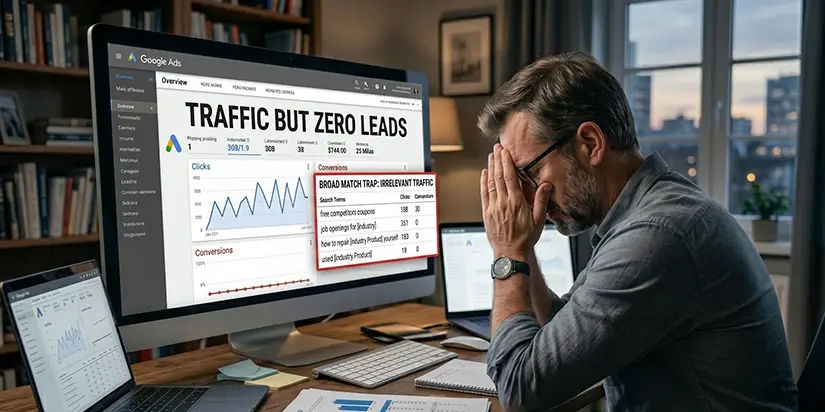
Reason 1: Targeting the Wrong Audience
The Problem:
Your ads are showing to people who will never buy from you. Broad match keywords give Google flexibility, but that flexibility often includes irrelevant searches. Invalid traffic now accounts for 11% to 22% of all digital ad spend, and by the end of 2026, the world will lose over $100 billion annually to digital ad fraud . Some of those clicks may not even be from real people.
The Fix:
Use phrase match or exact match for high-value keywords. Build a comprehensive negative keyword list, exclude terms like “free,” “cheap,” “DIY,” “how to,” and “jobs.” Change location settings from “Presence or Interest” to “Presence”, targeting only people physically in your service area.
Reason 2: Your Ad Copy Creates the Wrong Expectation
The Problem:
Your ad promised one thing. Your landing page delivers something else. When there’s a mismatch, visitors leave immediately. Campaigns that mismatch funnel stage to search intent average only a 2.1% conversion rate, compared to 11.3% when intent and offer are properly aligned .
The Fix:
Match your landing page headline to your ad copy exactly. Use the same keywords and promises. Add ad extensions (sitelinks, callouts) to give more information before the click. To be specific, “24/7 emergency service” beats “great service.”
Reason 3: Weak Landing Pages Kill Conversions
The Problem:
Slow load times, irrelevant content, or missing CTAs destroy conversions. Landing pages matched to specific keywords show a 34% bounce rate versus 67% for generic homepages . If your page takes more than 3 seconds to load, over half your visitors leave.
The Fix:
Simplify your form, ask only for essential information. Remove pop-ups that interrupt the conversion path. Make your call-to-action button visible above the fold. Add trust signals: testimonials, security badges, clear contact information. Professional pay per click services always include landing page optimization as a core offering.

Reason 4: The Offer Is Not Strong Enough
The Problem:
“Contact us” isn’t compelling. Free trials, discounts, and downloadable guides convert better. Generic offers attract generic clicks, not leads.
The Fix:
Test specific offers: free consultation, discount code, downloadable guide, free shipping. Make the value clear in both your ad and landing page. Track which offers generate the lowest cost per lead.
Reason 5: Mobile Experience Is Poor
The Problem:
Over 60% of clicks come from mobile devices. If your page isn’t mobile-friendly, visitors bounce. Small text, tiny buttons, and slow load times kill conversions on phones.
The Fix:
Test your landing page on an actual phone. Simplify forms for thumb typing. Make buttons large enough to tap easily. Ensure text is readable without zooming. Google’s mobile-first indexing means mobile experience affects your Quality Score too.
Reason 6: Your Keywords Have Informational Intent Instead of Buyer Intent
The Problem:
Targeting “how to fix a sink” when you sell plumbing services attracts researchers, not buyers. Informational keywords bring people who want answers, not people ready to hire or purchase.
The Fix:
Target transactional keywords: “hire plumber,” “book service,” “buy,” “replacement,” “near me.” Use keyword research tools to find terms with commercial or transactional intent. Remember: Quality Score is Google’s estimate of how relevant your ads, keywords, and landing pages are to a searcher, it still matters for ad rank and cost.
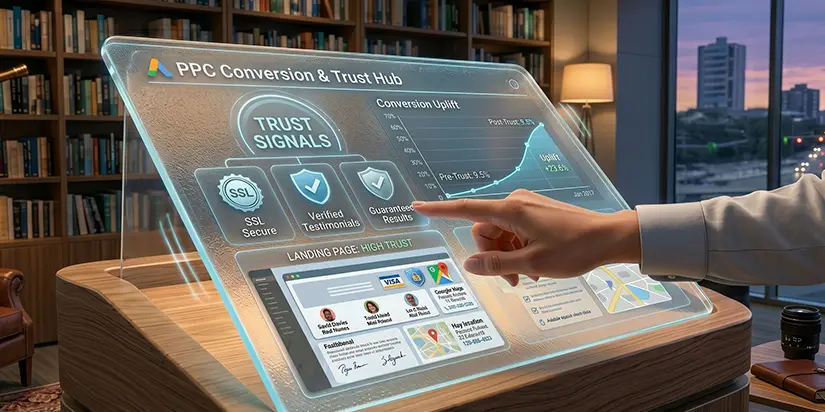
Reason 7: Lack of Trust Signals
The Problem:
No reviews, testimonials, or security badges. Visitors don’t trust you. If your site looks unfamiliar or unprofessional, they won’t convert, no matter how good your offer.
The Fix:
Add customer testimonials with real names and photos (with permission). Display security badges (SSL, payment logos). Show your physical address and phone number. Trust signals are especially important for PPC advertising services because you’re asking visitors to take an action.
Reason 8: Forms Are Too Long or Complicated
The Problem:
Asking for 10 fields when 3 would work. Every extra field reduces conversion rates. Visitors abandon long forms, especially on mobile.
The Fix:
Reduce fields to only what you truly need (name, email, phone number). Tell users why you need each field. Use multi-step forms for longer applications. Test different form lengths to find the sweet spot.
Reason 9: Poor Conversion Tracking Creates False Assumptions
The Problem:
You are getting leads but Google isn’t recording them. A single broken tag, JavaScript error, or privacy setting can prevent conversion tracking from firing properly.
The Fix:
Submit a test form. Wait 3-6 hours. Check if it registers in Google Ads. Ensure your conversion actions are marked as “Primary” (not “Secondary”). Check Google Tag Manager’s preview mode to verify tags fire. For advanced users, AI Google Ads optimization tools can help automate tracking validation.
Reason 10: Competitors Have Better Positioning
The Problem:
Your ad is there, but your competitor’s offer is stronger or better presented. They have better reviews, higher bids, or more compelling ad copy.
The Fix:
Study competitor ads using Auction Insights. Improve your offer, match or beat what they’re promising. Use all available ad extensions to take up more SERP real estate. Rotate your ad creative every 30-60 days to prevent ad fatigue.
How to Improve Lead Generation from Google Ads
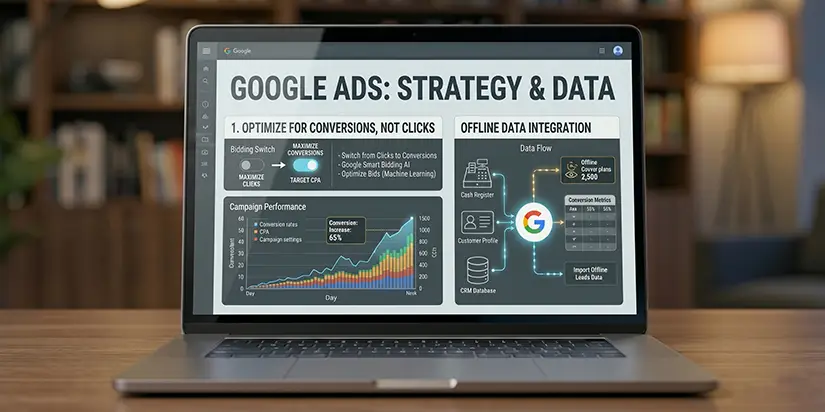
1. Focus on Conversion Optimization, Not Just Traffic
Switch bidding from “Maximize Clicks” to “Maximize Conversions” or “Target CPA.” Google’s Smart Bidding uses machine learning to optimize bids for conversions in each auction . Import offline conversion data so Google learns which leads actually become customers.
2. Use Dedicated Landing Pages
Never send ad traffic to your homepage. Create a page built for one goal only. Match headline to ad copy. Remove navigation menus. Keep the page focused on the single conversion action.
3. Continuously Test Ads and Pages
Test 5-7 different headlines. Test form length. Test different offers. Run A/B tests on landing page layouts. Rotate ad creative every 30-60 days. Use AI lead generation PPC tools to automate testing and surface winning variations faster.
4. Improve Ad Relevance and Quality Score
Write highly relevant ads that closely match your target keywords and landing page content. Better Quality Scores can lower cost per click while improving ad visibility. Use the primary keyword naturally in headlines and descriptions so users immediately understand the relevance of your offer.
5. Strengthen Trust Signals on Landing Pages
People hesitate to submit forms to businesses they do not trust. Add Google reviews, testimonials, certifications, client logos, awards, before-and-after results, and real team images. Strong trust signals help visitors feel more confident, increasing the chances of generating qualified leads from paid traffic.
6. Optimize for Mobile Users
Most Google Ads traffic now comes from mobile devices. Ensure landing pages load quickly, forms are mobile-friendly, and click-to-call buttons work properly. A poor mobile experience often leads to high bounce rates, shorter session times, and lower conversion rates despite receiving quality ad clicks.
7. Use Remarketing to Re-Engage Visitors
Many users do not convert during their first visit. Remarketing campaigns help bring back previous visitors who already showed interest in your service or product. Showing targeted ads again can improve brand recall, increase trust, and generate leads from users who were not ready initially.
8. Analyze Search Terms and Remove Wasteful Spend
Review your Search Terms Report regularly to identify irrelevant searches draining your budget. Adding negative keywords helps block unqualified traffic and improves lead quality. Continuous keyword refinement ensures your ads appear for users with stronger buying intent rather than low-conversion informational searches.
Signs Your Google Ads Campaign Needs Immediate Fixes
| Sign | What It Means |
|---|---|
| CTR over 10% but zero conversions | Ad copy may be misleading or targeting too broad |
| Bounce rate over 80% on landing page | Page load speed or relevance issue |
| Quality Score below 5 | Ad relevance or landing page experience is poor |
| Search terms include “free,” “jobs,” “how to” | Negative keywords missing |
| Conversions flatlined on a specific date | Tracking likely broke |
| High impression share but low conversion rate | Landing page or offer problem |
| Mobile bounce rate > desktop rate | Mobile experience is broken |
Final Thoughts
The Problem:
You’ve tried optimizing. Leads still aren’t coming. You’re not sure what’s broken – tracking, landing pages, audience targeting, or click fraud.
Our Approach:
At Ingenious Netsoft, we provide PPC advertising services that diagnose and fix every part of the conversion chain:
- Conversion Audit: Verify tracking, event tags, and offline import setup
- Landing Page Optimization: Redesign pages to load fast, match ad copy, and convert
- Keyword & Audience Refinement: Build negative keyword lists, refine match types
- Bid Strategy Management: Implement Smart Bidding and Target CPA
- Invalid Click Protection: Monitor for click fraud and exclude draining placements
- Weekly Optimization: Review search terms, adjust bids, rotate creative
Your Next Step:
Stop burning budget on clicks that never convert. Get a free, no-obligation Google Ads Conversion Audit, we’ll analyze your account, identify exactly why leads aren’t coming, and give you a clear roadmap to fix it.
Get Your Free Google Ads Conversion Audit


