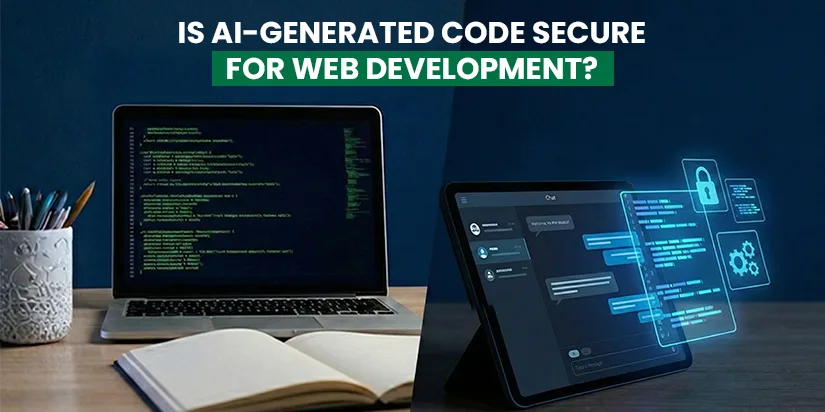
Is AI-Generated Code Secure for Web Development?
We first started using AI for small things – generating images, finding quick answers, writing emails, or creating content. It felt helpful, but limited.
Now, AI has entered the coding world too.
- Need a login system? Ask an AI chatbot.
- Need an API integration? Paste the prompt.
- Need a quick fix? Copy, paste, deploy.
Developers are asking AI chatbots to write functions, build APIs, fix bugs, and even structure entire applications, all within seconds. What once required hours of research and testing can now be generated with a simple prompt.
In fact, recent developer surveys indicate that over 70% of developers now use AI tools in some form during their coding workflow, whether for code suggestions, debugging help, or generating complete snippets.
AI has undoubtedly made web development faster and more accessible. But as more production code is written with AI assistance, an important question becomes impossible to ignore:
Is AI-generated code actually secure for web development?
To answer that, we first need to understand what AI-generated code really means in today’s development landscape.
Table of Contents
- What Is AI-Generated Code in Web Development?
- Why Developers Are Rapidly Adopting AI Coding Tools?
- Is AI-Generated Code Secure? (The Honest Answer)
- What AI Does Not Understand?
- Common Security Risks in AI-Generated Code
- Why Do These Security Problems Happen So Often?
- How to Use AI-Generated Code Without Compromising Security?
- How to Ask AI for Code While Prioritizing Security
- The Right Way to Think About AI in Secure Web Development
- When AI-Generated Code Should Be Avoided Completely
- AI + Human Expertise: The Right Balance
- Conclusion: Is AI-Generated Code Secure Enough?
- FAQs
What Is AI-Generated Code in Web Development?
AI-generated code refers to code that is written or suggested by artificial intelligence tools based on prompts provided by developers. These tools analyze vast amounts of existing code patterns and generate responses that appear correct and functional.
In modern web development, AI-generated code is commonly used for:
- Creating frontend components
- Writing backend logic and APIs
- Generating database queries
- Fixing bugs and refactoring code
- Speeding up repetitive or boilerplate tasks
While this approach can significantly improve productivity, it also introduces a critical challenge: AI generates code based on patterns, not on your project’s unique security requirements.
And that’s where the real risks begin.
Why Developers Are Rapidly Adopting AI Coding Tools?
The rise of AI in web development isn’t accidental. Developers use AI because it:
- Speeds up development
- Reduces repetitive tasks
- Helps with boilerplate code
- Assists beginners in learning faster
- Meets business pressure for quick delivery
AI is an excellent assistant. The problem begins when it becomes the decision-maker.
Is AI-Generated Code Secure? (The Honest Answer)
AI-generated code is not secure by default.
This doesn’t mean AI-generated code is always bad or unusable. It means that security is not something AI understands or prioritizes on its own. AI tools are designed to generate functional code quickly—not to assess whether that code is safe in a real-world production environment.
To understand why this is a problem, it’s important to understand how AI actually works.
AI models generate code by recognizing patterns from vast amounts of existing data. They predict what code should look like based on your prompt. However, they do not truly understand the intent, context, or consequences of that code.
What AI Does Not Understand?
AI does not understand:
- Your business logic
AI doesn’t know how critical a specific feature is to your application. It can’t judge which parts of your system are sensitive, mission-critical, or high-risk. A payment flow, a login system, and a contact form may all look the same to AI.
- Your security requirements
Every project has different security needs. An internal tool, an eCommerce website, and a healthcare platform all require different levels of protection. AI cannot assess or adapt to these requirements unless explicitly guided—and even then, it may miss critical details.
- Your compliance obligations
Regulations like GDPR, HIPAA, PCI-DSS, or other data protection laws require strict handling of user data. AI does not understand legal responsibility, data privacy rules, or regulatory consequences. It may generate code that technically works but violates compliance standards.
- Your real-world attack risks
AI does not think like an attacker. It does not anticipate how malicious users might exploit weak inputs, exposed endpoints, or poorly protected APIs. Security threats evolve constantly, and AI-generated code often fails to account for modern attack patterns.
Common Security Risks in AI-Generated Code
1. Missing Input Validation:
AI-generated forms and APIs often fail to properly validate or sanitize user input, opening doors to:
- SQL Injection
- Cross-Site Scripting (XSS)
- Data manipulation attacks
2. Weak Authentication & Authorization:
AI may generate:
- Incomplete authentication flows
- Poor token handling
- APIs without role-based access
This can lead to unauthorized access and data breaches.
3. Hardcoded Secrets:
AI sometimes includes:
- API keys
- Tokens
- Credentials directly in code
If this code is exposed, the entire system is at risk.
4. Outdated or Vulnerable Libraries:
AI may recommend libraries that:
- Are deprecated
- Have known security vulnerabilities
- Are incompatible with modern frameworks
Why Do These Security Problems Happen So Often?
These issues aren’t because developers are careless. They happen because:
- AI outputs are trusted too quickly
- Security flaws don’t appear immediately
- Deadlines push teams to skip deep reviews
- Junior developers rely on AI without supervision
- AI lacks real project context
The result? Security becomes an afterthought.
How to Use AI-Generated Code Without Compromising Security?
This is where most blogs stop, but this is where real value begins.
AI-generated code is not inherently unsafe. The real risk comes from how developers use it. When AI is treated as a shortcut instead of an assistant, security suffers. But when used correctly, AI can still be part of a secure development workflow.
The key is to control the process, not blindly trust the output.
Below are the most important practices developers should follow to ensure AI-generated code does not compromise website security.
1. Always Review AI-Generated Code Manually
AI-generated code should never be deployed directly to production.
Even if the code looks clean and works perfectly during testing, developers must:
- Read the code line by line
- Understand what each function does
- Identify unnecessary logic or shortcuts
- Look for missing validations or checks
AI can generate syntactically correct code that hides security flaws in plain sight. Manual review ensures accountability, because AI won’t be responsible if something goes wrong, you will.
Best practice:
Treat AI-generated code as a first draft, not a final solution.
2. Validate and Sanitize All User Inputs
One of the most common weaknesses in AI-generated code is poor input handling.
AI often assumes ideal user behavior, but in real-world applications:
- Users enter unexpected data
- Attackers deliberately inject malicious input
- Bots exploit unprotected forms and APIs
Developers should always:
- Validate input types and formats
- Sanitize data before processing
- Apply server-side validation (not just frontend)
A simple rule to follow:
Assume every user input is malicious until proven otherwise.
3. Never Fully Trust AI for Authentication & Authorization Logic
Authentication and authorization are high-risk areas where mistakes can be catastrophic.
AI may generate:
- Weak password handling
- Incomplete token validation
- APIs without proper role checks
- Authentication flows that look correct but are insecure
Login systems, permission handling, and access control should always be reviewed, tested, and refined by experienced developers.
If it involves user identity, access rights, or sensitive data, human oversight is mandatory.
4. Use Security Scanners, Linters, and Automated Testing
AI cannot replace security testing.
Before deploying AI-generated code, developers should run:
- Static code analysis tools
- Security linters
- Dependency vulnerability scanners
- Automated security tests
These tools help detect:
- Known vulnerability patterns
- Insecure dependencies
- Misconfigured logic
- Missing security controls
Automation acts as a second layer of defense against AI-generated mistakes.
5. Never Hardcode Secrets or Credentials
AI-generated examples often include:
- API keys
- Tokens
- Database credentials
- Environment secrets directly in code
This is extremely dangerous.
Developers should always:
- Use environment variables
- Store secrets in secure secret managers
- Rotate keys regularly
- Restrict access permissions
Even if the AI suggests a shortcut, never trade convenience for security.
6. Follow Your Secure Coding Standards—Not AI’s Defaults
Every development team or organization should have:
- Coding standards
- Security guidelines
- Architecture rules
- Compliance requirements
AI should adapt to your rules, not introduce its own patterns.
Before using AI-generated code:
- Align it with your existing standards
- Refactor where necessary
- Remove unnecessary logic
- Ensure consistency across the project
AI is a tool—not the architect.
How to Ask AI for Code While Prioritizing Security (Sample Prompts)
One of the most overlooked aspects of AI usage is how prompts are written.
Better prompts lead to safer code.
Here are secure, practical prompts you can use.
Secure Backend API Prompt
“Write a secure REST API endpoint in Node.js using best practices.
Include proper input validation, error handling, authentication checks, and security considerations.
Do not hardcode secrets. Assume this code will be used in production.”
Secure Authentication Prompt
“Generate a login system using secure authentication practices.
Use hashed passwords, token-based authentication, proper validation, and explain security considerations in comments.
Avoid insecure shortcuts.”
Form Handling Prompt
“Create a secure form submission handler.
Validate and sanitize all inputs, protect against SQL injection and XSS, and follow secure coding standards suitable for production use.”
Code Review Assistance Prompt
“Review the following code for potential security vulnerabilities.
Identify weak areas, suggest improvements, and explain why each change is necessary from a security perspective.”
Important Reminder About Prompts: Even with strong prompts, AI can still miss critical security details. Prompts improve results—but they do not replace expertise.
The Right Way to Think About AI in Secure Web Development
AI should:
- Speed up development
- Reduce repetitive work
- Assist with ideas and structure
AI should NOT:
- Make security decisions
- Replace code reviews
- Control authentication logic
- Bypass best practices
The safest approach is simple:
Let AI help you write code, but let experienced developers decide whether it’s safe.
When AI-Generated Code Should Be Avoided Completely
Avoid AI-generated code in:
- Payment systems
- Authentication and authorization layers
- Financial or healthcare applications
- Compliance-heavy platforms
- Systems handling sensitive personal data
Some areas demand human expertise only.
AI + Human Expertise: The Right Balance
AI isn’t the enemy.
Blind trust is.
The future of web development isn’t AI vs developers—it’s AI + experienced developers working together.
AI accelerates work. Humans ensure security, logic, and responsibility.
Conclusion: Is AI-Generated Code Secure Enough?
AI-generated code can be incredibly useful, but security depends entirely on how it’s used.
Without proper review, testing, and expertise, AI-written code can introduce serious vulnerabilities that damage trust, data, and business reputation.
At Ingenious Netsoft Pvt. Ltd., we believe in using AI responsibly. Our approach combines modern AI tools with expert human oversight, strict security standards, and proven development practices. We deliver secure, scalable, and high-performance web development and web design services globally, ensuring innovation never comes at the cost of safety.
If you’re looking for a trusted web development partner that prioritizes security as much as speed, Ingenious Netsoft is here to help.
Let’s Discuss Your Goal.
Summary:
AI-generated code is not secure by default.
It becomes secure only when reviewed, tested, and implemented by experienced developers using security best practices.