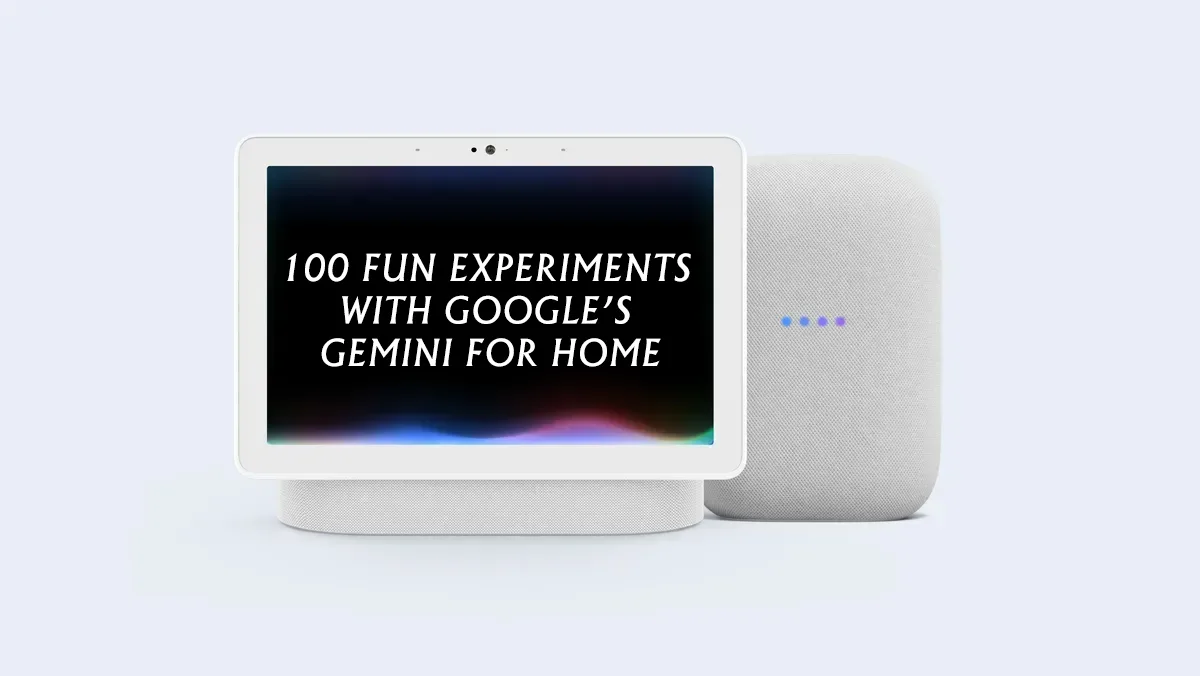
100 Fun Experiments with Google’s Gemini for Home
Early Access for Gemini for Home Voice Assistant Begins in the U.S.
Google has started rolling out early access for the Gemini for Home voice assistant in the U.S., marking a major update to its smart home ecosystem. If you’re part of the first group of users, your experience and feedback will directly help shape how Gemini evolves over the next few months.
Curious what you can do with it? There’s a long list of fun and useful things to try once it’s live.
Table of Contents
Early Access and What It Means
The Gemini for Home rollout is starting with early access in the United States, with a broader global launch expected in 2026. Joining early access means you’ll be testing features before the public release and helping Google fine-tune the assistant. You can share feedback directly in the Google Home app or simply say, “Hey Google, send feedback.”
Your input will help refine everything from voice responses to integration speed, as Google continues to update and improve Gemini for everyday home use.
The Upgrade from Google Assistant to Gemini
Once enrolled, your existing Google Assistant will automatically upgrade to Gemini, a smarter, more conversational version of the familiar voice assistant. The update comes at no additional cost and brings more natural conversations and deeper functionality.
Some premium capabilities, such as Gemini Live, camera history search, and voice-powered automations, will be available only to Google Home Premium subscribers.
For anyone wondering how the transition works, Google has published a Q&A page that covers common questions and setup details.
How to Access Gemini for Home
You can interact with Gemini through two main modes, depending on your device and use case:
1. “Hey Google”
You can still say “Hey Google” to your speaker or smart display to get help with tasks, quick answers, reminders, or to control your smart home devices. The difference now is that Gemini offers richer, more human-like responses and feels more intuitive when juggling multiple commands.
2. “Hey Google, let’s chat”
Saying “Hey Google, let’s chat” activates Gemini Live, an interactive chat mode designed for open-ended conversations. You can brainstorm, learn, ask for detailed explanations, or just talk and Gemini will remember the context, so you don’t have to keep repeating the wake phrase.
100 Fun Things to Try with the New Gemini for Home Voice Assistant
Everyday Helpers
- Hey Google, what’s my schedule for today
- Hey Google, wake me up at 6:30 AM
- Hey Google, remind me to call Mom tonight
- Hey Google, what’s the weather like this weekend
- Hey Google, add milk and cereal to my grocery list
- Hey Google, what time does Target close
- Hey Google, start a 10-minute timer
- Hey Google, what’s the latest news
- Hey Google, play today’s top hits
- Hey Google, how’s the traffic to work right now
Smart Home Magic
- Hey Google, turn on the living room lights
- Hey Google, set the thermostat to 72 degrees
- Hey Google, show me the front door camera
- Hey Google, lock the main door
- Hey Google, turn off all lights
- Hey Google, start the vacuum
- Hey Google, is the air purifier on
- Hey Google, switch the TV to Netflix
- Hey Google, set the living room lights to warm white
- Hey Google, turn on movie mode
Morning Routine Boosters
- Hey Google, good morning
- Hey Google, what’s my first meeting
- Hey Google, how cold is it outside
- Hey Google, play my morning playlist
- Hey Google, how long will it take to get to work
- Hey Google, tell me a motivational quote
- Hey Google, brew coffee
- Hey Google, what’s trending today
- Hey Google, what’s the stock market doing
- Hey Google, turn off the alarm
Kitchen Companion
- Hey Google, convert two cups to milliliters
- Hey Google, what can I make with eggs and spinach
- Hey Google, set a 15-minute timer for the oven
- Hey Google, what’s a substitute for buttermilk
- Hey Google, read me a pancake recipe
- Hey Google, play some cooking music
- Hey Google, what’s the calorie count of a banana
- Hey Google, remind me to check the stew in 10 minutes
- Hey Google, add olive oil to my shopping list
- Hey Google, what wine goes with pasta
Wellness & Mindset
- Hey Google, start a 10-minute meditation
- Hey Google, play calming sounds
- Hey Google, how’s the air quality today
- Hey Google, track my water intake
- Hey Google, what are some stretches for back pain
- Hey Google, remind me to take a walk at 5 PM
- Hey Google, how many calories did I burn today
- Hey Google, play relaxing sleep sounds
- Hey Google, tell me something positive
- Hey Google, what’s a good bedtime routine
Learn & Explore
- Hey Google, what’s the capital of Norway
- Hey Google, how do you say thank you in Japanese
- Hey Google, tell me a fun fact
- Hey Google, what’s the meaning of quantum computing
- Hey Google, teach me something new
- Hey Google, summarize today’s headlines
- Hey Google, who invented the light bulb
- Hey Google, how do solar panels work
- Hey Google, what are black holes
- Hey Google, let’s chat about space
Fun & Games
- Hey Google, tell me a joke
- Hey Google, play a trivia game
- Hey Google, what sound does a dolphin make
- Hey Google, roll a dice
- Hey Google, flip a coin
- Hey Google, sing me a song
- Hey Google, play a riddle
- Hey Google, tell me a scary story
- Hey Google, imitate Yoda
- Hey Google, what’s your favorite movie
Family & Home
- Hey Google, broadcast Dinner’s ready
- Hey Google, where’s my phone
- Hey Google, set family reminder for 8 PM
- Hey Google, make an announcement
- Hey Google, call Dad
- Hey Google, message John on WhatsApp
- Hey Google, show the baby’s room camera
- Hey Google, read a bedtime story
- Hey Google, play lullabies
- Hey Google, create a shared to-do list
Productivity Power-Ups
- Hey Google, create a new task
- Hey Google, what’s my next meeting
- Hey Google, send an email to Sarah
- Hey Google, start a 25-minute focus timer
- Hey Google, take a note
- Hey Google, set a reminder for tomorrow’s deadline
- Hey Google, what’s on my calendar for Monday
- Hey Google, open Google Docs
- Hey Google, summarize this article
- Hey Google, brainstorm ideas for my project
Gemini Live: Chat Mode
- Hey Google, let’s chat
- Hey Google, help me plan my week
- Hey Google, explain how AI works
- Hey Google, tell me about Dubai
- Hey Google, what should I cook tonight
- Hey Google, help me practice English
- Hey Google, teach me how to negotiate
- Hey Google, write a thank-you note
- Hey Google, recommend a movie like Inception
- Hey Google, let’s brainstorm a gift idea
Wrapping Up
Gemini for Home turns your house into a smart, chatty companion that helps with everything, from cooking and cleaning to learning and relaxing. You can use it to handle daily tasks, have deeper conversations, or just explore ideas while sipping coffee.
So go ahead and try these prompts, explore what Gemini can do, and make your smart home a little smarter every day.