
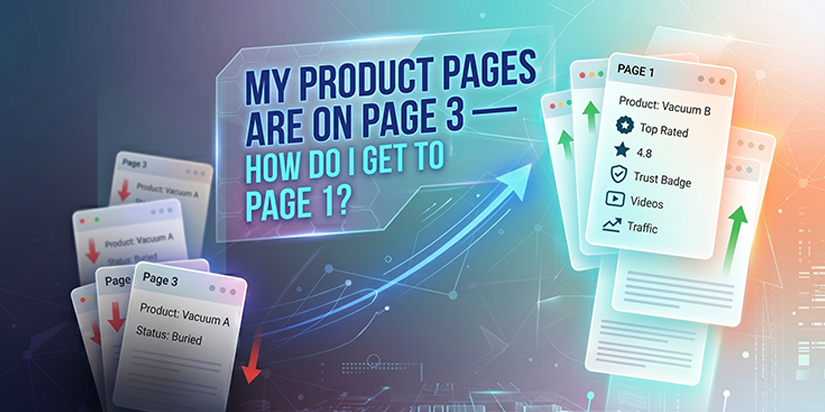
My Product Pages Are on Page 3 — How Do I Get to Page 1?
You search for your own product on Google. Your page is nowhere to be found. Page 3. Maybe page 4. Meanwhile, your competitors are on page 1. They get the traffic. They get the sales. You get silence.
Here is the reality in 2026. Traditional organic results are pushed down. Shopping carousels, product panels, and AI summaries now appear above them. Visibility alone does not sell anymore. You need trust. You need proof.
This guide walks you through exactly why your product pages are stuck. And more importantly, how to fix them. Step by step.
Table of Contents
- Why Your Product Pages Are Stuck on Page 3
- Optimize Product Pages to Kill Buyer Anxiety
- The 3‑Pain‑Point Framework (Where Sales Happen)
- Structured Data – Get Your Products Into Shopping Carousels
- Visual Search and Social Platforms – Be Where Customers Discover
- Build Trust That AI Overviews Cite – Reviews, UGC, and Testing
- Cover the Full Buyer Journey – 3 States, 3 Content Types
- What to Stop Doing – Thin, Automated SEO Content
- Your Blog Is a Controllable Asset – Plus Email
- What to Do When Your Product Pages Are Stuck on Page 3
- Final Thoughts
- FAQ’s
Why Your Product Pages Are Stuck on Page 3
1. The New SERP Landscape
Google now shows shopping carousels, product panels, and AI answers before traditional organic results. Your product page might be indexed. But it is buried. Customers never see it.
If your product data is not feeding into Google’s shopping systems, you simply do not exist in those top spots.
2. The Crawl, Index, Rank Pipeline
Every product page must pass three gates before it can rank.
| Stage | What Happens |
|---|---|
| Crawl | Googlebot finds your page through sitemaps or internal links |
| Index | Google analyzes the page and stores it in its database |
| Rank | Google compares your page to competitors and positions it |
Most product pages get stuck at index or rank. Google found them. But it decided not to index them. Or it indexed them but buried them because other pages are better.
Let us fix each part of this pipeline.

Optimize Product Pages to Kill Buyer Anxiety
The Problem:
Most product pages only have a title, an image, and some pricing. That is not enough in 2026. Customers leave because their questions are not answered. Google sees the page as thin and unhelpful.
The Fix (Content That Kills Anxiety):
| Element | Why It Matters |
|---|---|
| Sizing guides | Removes “will this fit me?” doubt |
| Compatibility info | Answer “will this work with my setup?” |
| Materials and care instructions | Builds trust in product quality |
| Warranty and shipping details | Removes purchase risk |
| Real FAQs from customer questions | Addresses actual doubts, not guesses |
Go to Google Search Console. Find the conversational queries people ask about your product. Also read 1 and 2 star reviews of your products and competitors. That is where you find real customer doubts. Use those doubts to build your product descriptions and FAQ section.
The 3‑Pain‑Point Framework (Where Sales Happen)
People do not buy products. They buy relief from a problem. Use this framework for every product page.
1. Obvious pain point – The surface problem.
Example: A baby who will not sleep.
2. Hidden pain point – What they are actually worried about.
Example: “I do not want to pay for something that does not work.”
3. Emotional pain – The feeling driving the decision.
Example: “I will feel like a bad parent if I cannot manage this.”
The sale happens at the third level. Your product page needs to speak to that emotional pain. That is where customers decide to buy.
Structured Data – Get Your Products Into Shopping Carousels
The Problem:
The shopping carousels at the top of Google are powered by structured data. If your product data is messy or missing, you will not appear there. It does not matter how good your product is.
What Your Product Schema Must Include:
- Name
- Description
- Image
- Brand
- Product code (SKU or MPN)
- Price and availability
- Offers
- Reviews and rating
- Shipping cost and delivery time
- Product variants (size, color, etc.)
Treat your Merchant Center feed like an SEO asset. Keep titles accurate. Keep categories correct. Make sure your pricing and stock match your live site. Fix errors first. Then add richer attributes.

Visual Search and Social Platforms – Be Where Customers Discover
The Data:
Over 100 billion searches happened through Google visual search last year. One in five of those were people looking to buy something right then. That is 20 billion purchase intent searches.
The Shift:
YouTube, TikTok, and Instagram are not separate channels anymore. Google pulls content from these platforms directly into search results. If you ignore them, you leave visibility on the table.
Visual Search and Social Platforms – Be Where Customers Discover
What to Do:
- Treat every image and video as searchable content.
- Write proper alt text for every product image.
- Use keyword rich captions on social posts.
- Create short form videos for Reels, TikToks, and Shorts.
- Optimize your product photography for visual search.
A customer might see your Reel on Instagram. They do not buy right away. Later they go to Google and search for your product. That is demand creation. Google pulls that social content into its results. Be there.
Build Trust That AI Overviews Cite – Reviews, UGC, and Testing
Content has moved from publishing more to prove more. AI Overviews and Google look for content that builds real trust. Here is how to create it.
1. Reviews – Don’t Just Collect Stars
Do not just ask for a rating. Engineer the review prompt. Ask customers specific questions. How is the fit? How durable is it? How are they using the product?
Surface those answers on your product page. Include a summary of pros and cons. Use the actual language your customers use. Keep it authentic.
2. Create Your Own Testing Content
Publish blog posts and videos of your own team testing your products. Create honest comparisons between your product and your competitors. Show the pros and cons of each.
Why does this matter? Customers search for the bottom of funnel queries like “iPhone vs Samsung.” Google sees your honest comparison as first hand expertise. That turns E-E-A-T into a revenue driver. It is not just a checklist anymore.
3. Repost User Generated Content (UGC)
Customer photos, reviews, and videos do not feel like marketing. They feel real. Repost them on your product pages. Run challenges to create buzz. UGC builds trust faster than anything you write yourself.
4. Treat Your Staff as Content Systems
Your product engineer can film a behind the scenes video. Your retail staff can model products on TikTok or Instagram. Your founder can share thought leadership on industry trends.
Expertise plus authenticity is exactly what Google rewards right now.
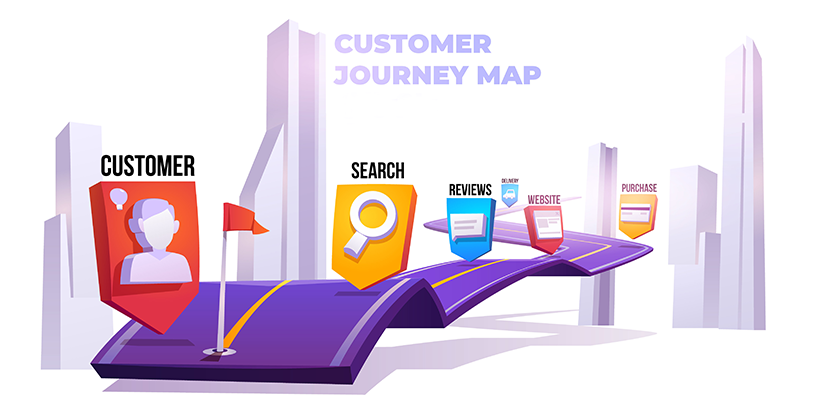
Cover the Full Buyer Journey – 3 States, 3 Content Types
Most brands only target the first state. Here is how to cover the entire journey from browsing to buying.
| Buyer State | Their Question | Content Type |
|---|---|---|
| State 1: Do not know what to choose | “What is right for me?” | Quizzes, criteria guides (“Find your ideal mattress in 60 seconds”) |
| State 2: Comparing options | “Which one is best?” | Head to head comparisons, best of hubs (“Best headphones under $200”) |
| State 3: Scared of wrong choice | “What if I make a mistake?” | Mistakes to avoid, “do not buy this if you have X” |
All of these assets should link directly to your product or category pages. Together they form a content bridge. You cover the full search journey. From I am researching to I am ready to buy. That is where organic ROI compounds.
What to Stop Doing – Thin, Automated SEO Content
The Warning:
Google’s spam policies are sharper than ever. Mass producing thin, templated, automated SEO blog posts will waste your time and money. Worse, you could get penalized.
The Shift:
Publish fewer posts. But make each one stronger. Focus on real buying intent. Answer questions like:
- What should I buy?
- What options are right for me?
- What are the trade offs?
- Is it worth the money?
One strong asset can do more than ten filler posts ever will. It can rank. It can support AI search. It can be repurposed into email and social content. And it can push someone closer to a purchase.
Your Blog Is a Controllable Asset – Plus Email
Google can change its algorithm. TikTok can change its reach. Your traffic can disappear overnight. Your blog is your insurance policy. It is a channel you control.
What works now:
- Quality over quantity
- Long tail keywords
- Real customer questions (from Search Console)
- Rich media like images and videos
Email – Own the relationship
When someone visits your site and leaves, that should not be the end. Build simple email flows for:
- Browser abandonment
- Cart abandonment
- Post purchase follow ups
- Review requests
- Cross sell sequences
This is where a lot of ecommerce revenue is won. Do not skip it.
What to Do When Your Product Pages Are Stuck on Page 3
Step 1: Check if Google can find your page.
Use Google Search Console’s URL Inspection tool. If it says “URL is not on Google,” fix the technical block first.
Step 2: Add product schema.
Google’s shopping carousels run on structured data. Use the Rich Results Test tool. Include price, availability, and reviews.
Step 3: Find real customer questions.
Go to the Search Console. Look at the Performance report. Find questions people typed. Put them in an FAQ section on your product page.
Step 4: Read competitor 1‑star reviews.
Copy the exact complaints. Answer those fears on your product page. This builds trust.
Step 5: Add one thing competitors lack.
Sizing guide. Compatibility chart. Video of the product being used. Just one missing piece.
Step 6: Get a specific review.
Ask a customer how your product solved their problem. Use their exact words on your page.
Step 7: Add an internal link.
Link to your product page from a related blog post or category page. It tells Google your page matters.
Do these steps. Your product pages will start moving.
Final Thoughts
Getting product pages to page 1 is not about luck. It is about fixing what is broken. Structured data. Buyer anxiety content. Honest comparisons. Trust signals that AI wants to cite.
You can do this yourself. But it takes time. And the SERP keeps changing.
That is where Ingenious Netsoft helps.
We provide seo services for ecommerce that cover everything in this guide:
- Product schema and Merchant Center feed fixes
- Buyer anxiety content (sizing guides, real FAQs, pain point framework)
- AI citation building (reviews, UGC, comparisons)
- Visual search and social platform optimization
- E‑E‑A‑T content (comparison guides, behind‑the‑scenes)
- Email flows to own customer relationships
Stop watching competitors take your page 1 spots.
Get your free Ecommerce SEO Audit


